Build Your Own Site on Nostr
No server, no account, no bill. A step-by-step guide to publishing your own website on Nostr, written from actually building one - including the three failures that produce no error message.
No server, no account, no bill. A step-by-step guide to publishing your own website on Nostr, written from actually building one - including the three failures that produce no error message.
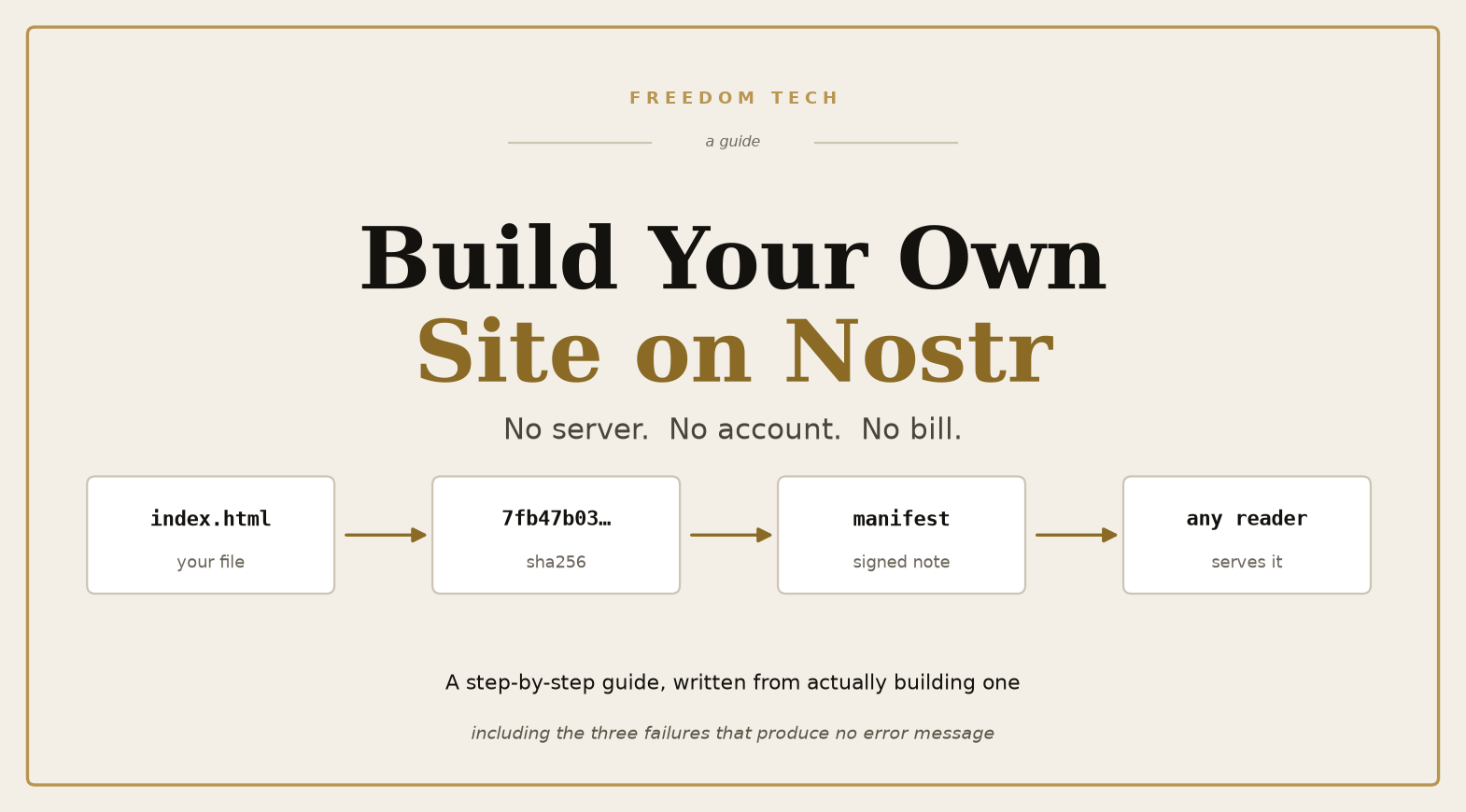
Here is the strange part, before the instructions start: the site you are about to build has no server.
No cheap one, no rented one, no free tier that asks for a card in March. Nothing at all. What you get instead: no account to create, no dashboard to log into, no bill, and no company that can decide next year your page is no longer welcome.
Instead there are three things: a key you hold, a pile of files whose fingerprints are published, and a signed note that says which file belongs to which address. Any machine that reads the note can serve the page. Many machines do.
I built the site you may have arrived from with this method, and I want to be blunt about what it is worth. It is not easier than renting a server. The first attempt took an evening. I got three things wrong in ways that produced no error message at all — the page looked fine and was, in fact, invisible in one case and silently broken in another. What follows is that build, in order, including the parts that failed.
You need to be comfortable typing commands. You do not need to program.
Three things, and only one of them is technical:
index.html is enough to start. Or an entire archive of articles, as mine is.What you do not need: a domain, a credit card, an account anywhere, a database, or a hosting plan. The domain question comes up later, and the answer is less exciting than you hope.
Think of it as three separate questions that happen to be answered by three separate systems.
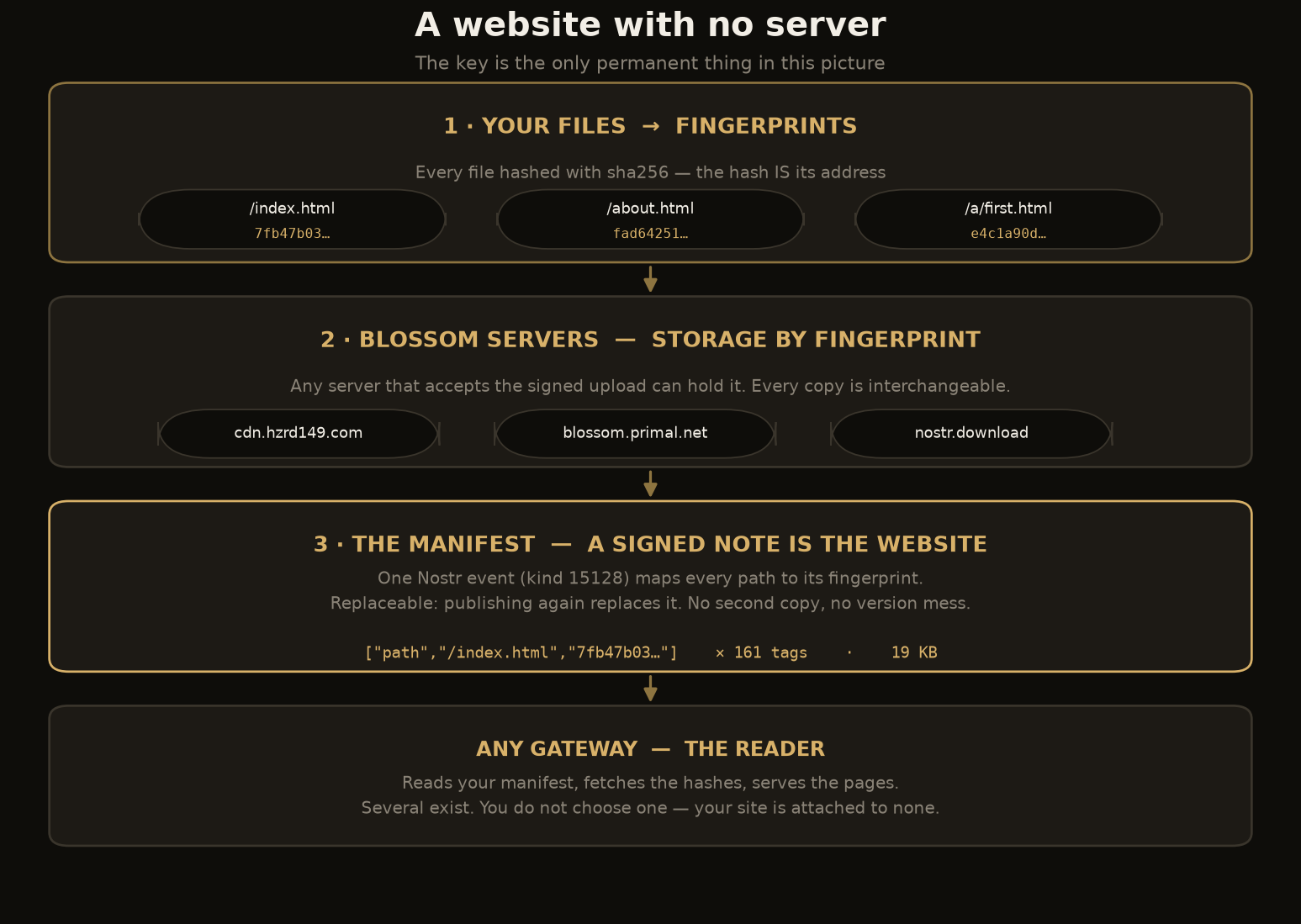
Layer one is storage. Your files sit on servers called Blossom servers. They do not store your files by name. They store them by fingerprint: a SHA-256 hash of the content. This is worth pausing on, because it does most of the work later. If you change one character in a file, its fingerprint changes completely, and so does its address. There is no "which version is on the disk" problem, because the address is the version.
Layer two is the map. You publish a signed note, a Nostr event. It says: the page at /index.html is the file with fingerprint 7fb47b03…. The page at /a/the-gold-fence.html is the file with fingerprint e4c1…. And so on, once per file. This note is the website. Everything else is machinery.
Layer three is the reader. Anyone who has a program that understands the note can fetch the fingerprints from a Blossom server and hand the files to your browser. There are several such programs. They compete, and you do not have to choose one, because your site is not attached to any of them.
The diagram below is the whole architecture. Notice what is missing from it: nothing is permanent except the key.
Your Nostr key is two numbers: a private one that signs, and a public one that is your name. Clients show the public one as a string starting with npub, and that string is going to become your web address.
Generate one with any Nostr client: Damus, Amethyst, Primal, whatever you already use. If you are starting fresh, keep in mind what you are doing: this key will control your site forever. Lose it and the site cannot be updated by anyone, including you. Leak it and someone else can replace every page with anything they like, and every reader will see it as legitimately yours, because it is signed with your key.
Write the private part down. Not in a screenshot. Not in a note app that syncs.
Two practical notes from building this. First, the public key has a canonical form, a long string of letters and numbers, and your site's address will be built from it. Second, if you plan more than one site, you can name them; the naming is covered near the end, and it saves less than you would think.
Start with one file. Open a text editor and write:
<!doctype html>
<html lang="en">
<head>
  <meta charset="utf-8">
  <meta name="viewport" content="width=device-width,initial-scale=1">
  <title>My site</title>
</head>
<body>
  <h1>Hello</h1>
  <p>This page lives on Nostr.</p>
</body>
</html>
Save it as index.html inside a folder, say mysite/. If you want more pages, add more files. Subfolders are fine: mysite/about.html, mysite/a/first-article.html. The path inside this folder is the path on your future site, so name things the way you want them to appear in a URL.
One rule that is not obvious: use relative links inside your pages. A link from a/first-article.html back to the front page must be written ../index.html, not /index.html. The site is served from a subfolder of the gateway's domain, and a leading slash points at the gateway's root rather than yours. This costs people an hour the first time, every time.
Now compute a fingerprint for each file. On any Linux or macOS machine:
cd mysite
find . -type f -exec sha256sum {} \;
You will get lines like 7fb47b03abbf4fb5f7a5e4bee5756f686bcf33ed9470405315802f36428c716a ./index.html. Write these down, because you need the exact hash for step 4. For a real site you will automate this rather than copying by hand; my site has 161 files, and a typo in one hash produces a page that silently fails to load.
This is the step where the design starts to make sense. You are not uploading files. You are publishing a list of fingerprints.
Blossom servers accept uploads if you can prove you hold the key that signs for the file you are sending. The proof is itself a Nostr event: a small one, of kind 24242, containing the file's fingerprint and an expiry.
The file itself goes in the body of a PUT request, as raw bytes. The proof travels as a header:
Authorization: Nostr <base64 of the signed 24242 event>
Content-Type: image/png
Three details, each of which I got wrong at least once:
application/json is rejected, and the rejection is a specific complaint rather than a mystery.These servers accepted my uploads without any registration. I verified each one by fetching the file back afterwards:
| Server | Notes |
|---|---|
https://cdn.hzrd149.com |
what my site uses |
https://blossom.primal.net |
same files, same hash |
https://nostr.download |
advertises "no account required" |
You do not have to pick one. Uploading the same file to three servers makes it more available, and because files are addressed by fingerprint, the three copies are interchangeable. Nothing in your site points at a particular server.
This is the step that made my first deployment invisible, and I want to explain why rather than just give the command.
The reader, the gateway, has to find your manifest. It does not scan the entire network for it. It looks up the manifest through your relay list: a separate Nostr event, kind 10002, in which you say which relays you use.
No relay list, no address, nowhere to look. The gateway either shows nothing or, worse, it shows the previous version of the site. Your new manifest sits published on six relays, entirely ignored.
So publish the list, with the relays you plan to use:
# One "r" tag per relay you use. Write the address as the client expects it.
tags = [Tag.parse(["r", "<your first relay>"]),
        Tag.parse(["r", "<your second relay>"])]
event = await EventBuilder(Kind(10002), "").tags(tags).build(pubkey).sign(signer)
Then check that it exists, before going further:
Filter().author(my_pubkey).kind(Kind(10002))
Zero results means the event is missing. Fix that before publishing the manifest. I skipped this check, and the symptom was so misleading, a working site showing stale content, that I rebuilt things that were never broken.
Now the note that is the website. It is a Nostr event of kind 15128, and it contains one tag per file, each pairing a path with its fingerprint:
["path", "/index.html", "7fb47b03abbf4fb5f7a5e4bee5756f686bcf33ed9470405315802f36428c716a"]
["path", "/about.html", "fad64251031f…"]
Plus a tag naming at least one Blossom server to fetch from.
This event is replaceable, which means something specific and pleasant: publishing a new manifest with the same key does not create a second site. It replaces the first. There is no version history to manage and no way to accidentally have two sites fighting over one address — you just publish again, and the site moves to the new content within seconds.
My manifest carries 161 of these path tags and is about 19 KB. It went out to six of seven relays.
Your site is now at a URL built from your public key. The convention is:
https://<your-npub>.nsite.run/
Open it. If it works, you are done with the hard part.
If it does not, resist the urge to redo the work. Check in this order, and stop at the first failure:
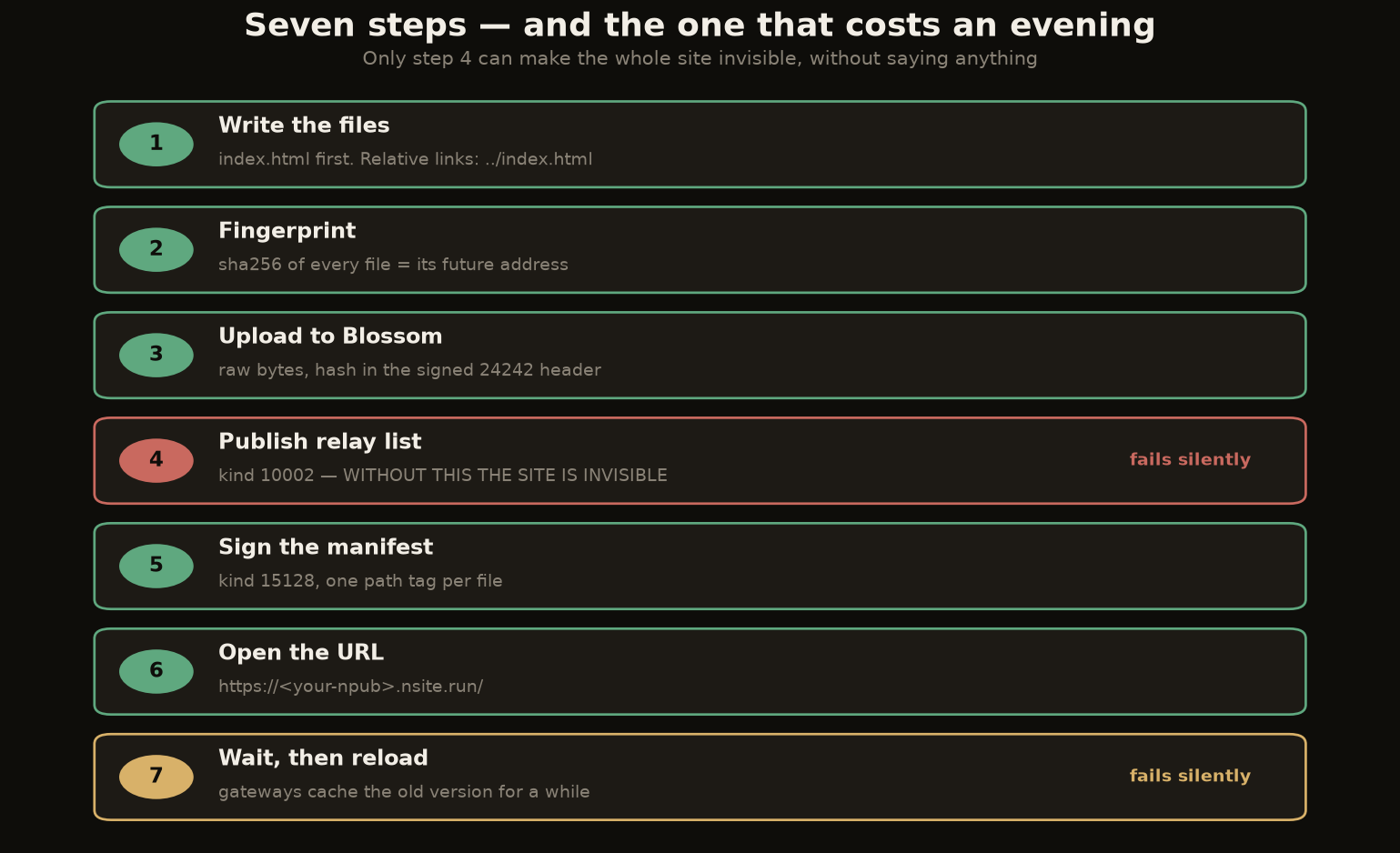
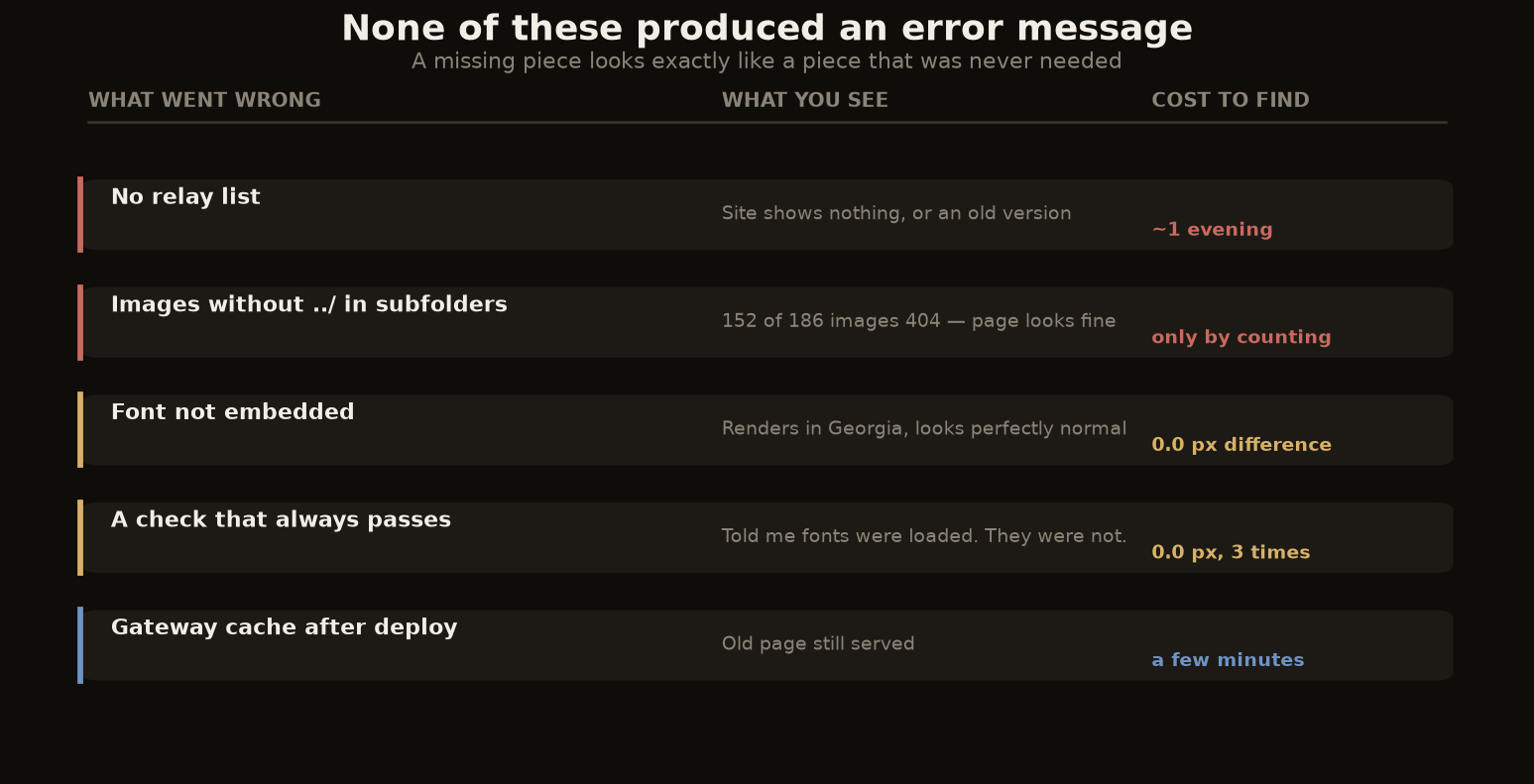
This is the section I wish someone had handed me. None of these produce an error message that points at the cause.
A manifest with no relay list is invisible. Already covered, and it is first because it is the most likely thing to stop you. Cost: an evening, plus a rebuild of things that were fine.
Images in subfolders need the parent prefix. If your article pages live in a/ and your images in assets/, then the images must be referenced as ../assets/picture.jpg. Written as assets/picture.jpg, every one of them 404s. Here is the cruelty: the page looks normal in a screenshot. Browsers only load images as they scroll into view, so off-screen images fail without any visible sign. The only way I found it was by fetching every referenced file over HTTP and counting. Of the 186 image references on my site, 152 were broken this way, and nothing anywhere reported it.
A font that is not embedded renders as something else. This one I only caught by luck. I had written font-family: 'Fraunces' in the stylesheet and the browser happily rendered — in Georgia. No error, no warning, and the page looked fine. I only noticed because I measured: I rendered the same text twice, once with my font and once with the generic fallback, and compared the pixel widths. They were identical, which is the signature of a font that is not loading. With the font embedded properly, the same test differs by 15.6 pixels at 100px , that difference is the proof it is working.
The lesson generalises: if you cannot measure the difference your change makes, you do not know it happened. A page that looks right in a screenshot is not evidence.
A check that always passes is worse than no check. While building, I had a verification that asked the browser whether the fonts were loaded. It said yes, cheerfully, three times. It was wrong every time. The measurement above — comparing rendered widths against a fallback , replaced it.
Silence is the normal failure mode. Not one of the failures above produced an error. This is the nature of the system: it is a network of independent machines with no one to raise a complaint, and a missing piece looks exactly like a piece that was never needed.
The method above gets a page online. Getting it to look like something takes two more decisions.
Embed the font file itself. A line in your CSS naming a font does not load it. The browser silently substitutes its default instead. Embed the font file itself — as a WOFF2, base64-encoded directly into the stylesheet, or as a file you also upload to Blossom. My site carries eight of them, 567 KB in total, and they load from the same place as everything else. No third-party font service, which matters for two reasons: the site keeps working if that service disappears, and nobody gets a log line saying who read your page.
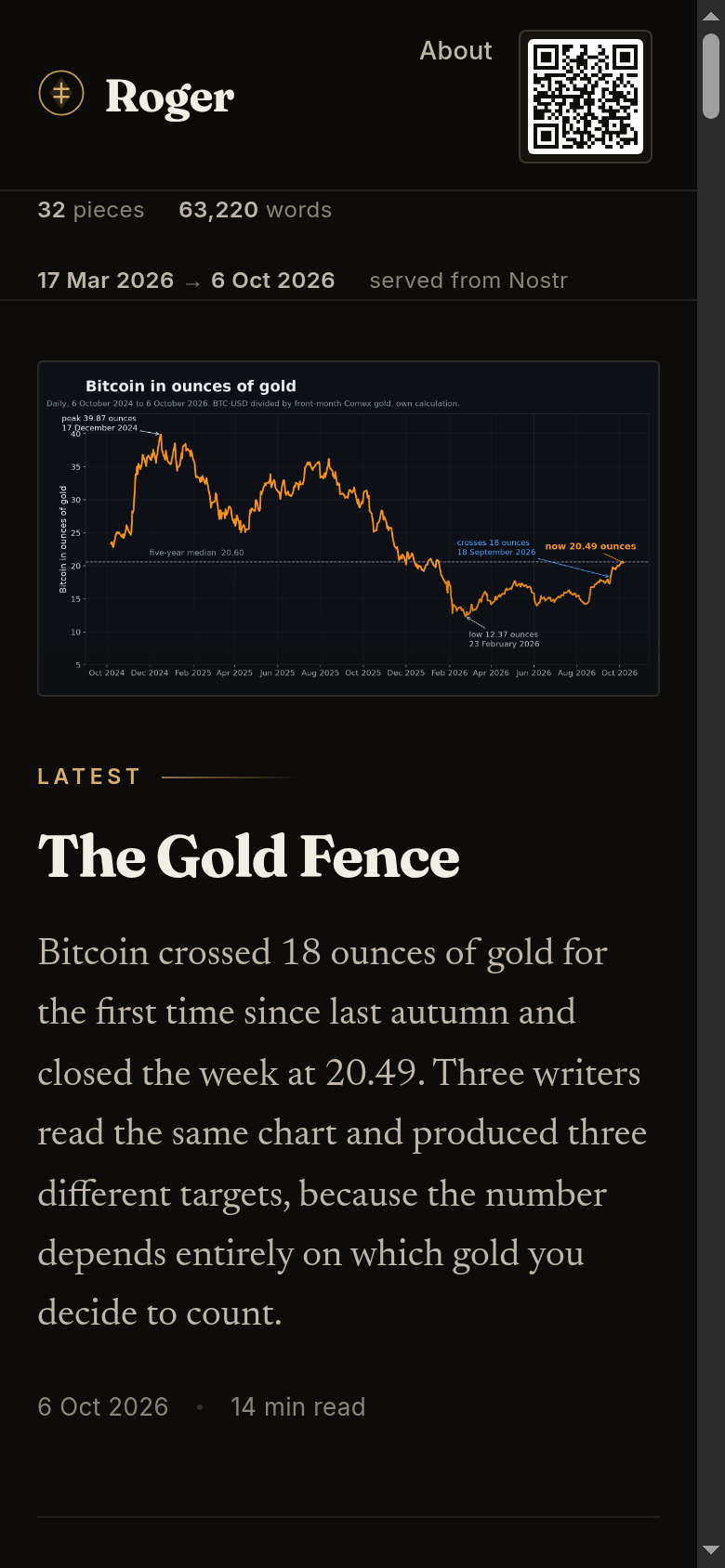
The layout must survive a phone. Half of any audience arrives on a screen 390 pixels wide. If you build only on a desktop and only check on a desktop, you will ship a site that is broken for most of the people who see it. Check at both widths, and check by measuring rather than looking: is anything wider than the window, is anything cut off, does any block overlap text
.
Then add the thing you actually want people to do. On my site that is a Lightning address with a QR code, placed in the header rather than the footer. The reasoning is simple and it took me a second try to apply it: nobody scrolls to the bottom of an article to discover a donation button. It has to be somewhere the eye already is.

An address is the right thing to publish, by the way, rather than a fixed invoice. An invoice expires within the hour; an address does not, and every wallet generates a fresh one from it on demand. If you want to verify your own button works, decode the QR code with a scanner and compare the string letter by letter. Do not trust that it "looks like" a QR code — a code that decodes to something else is a failure that looks like a success.
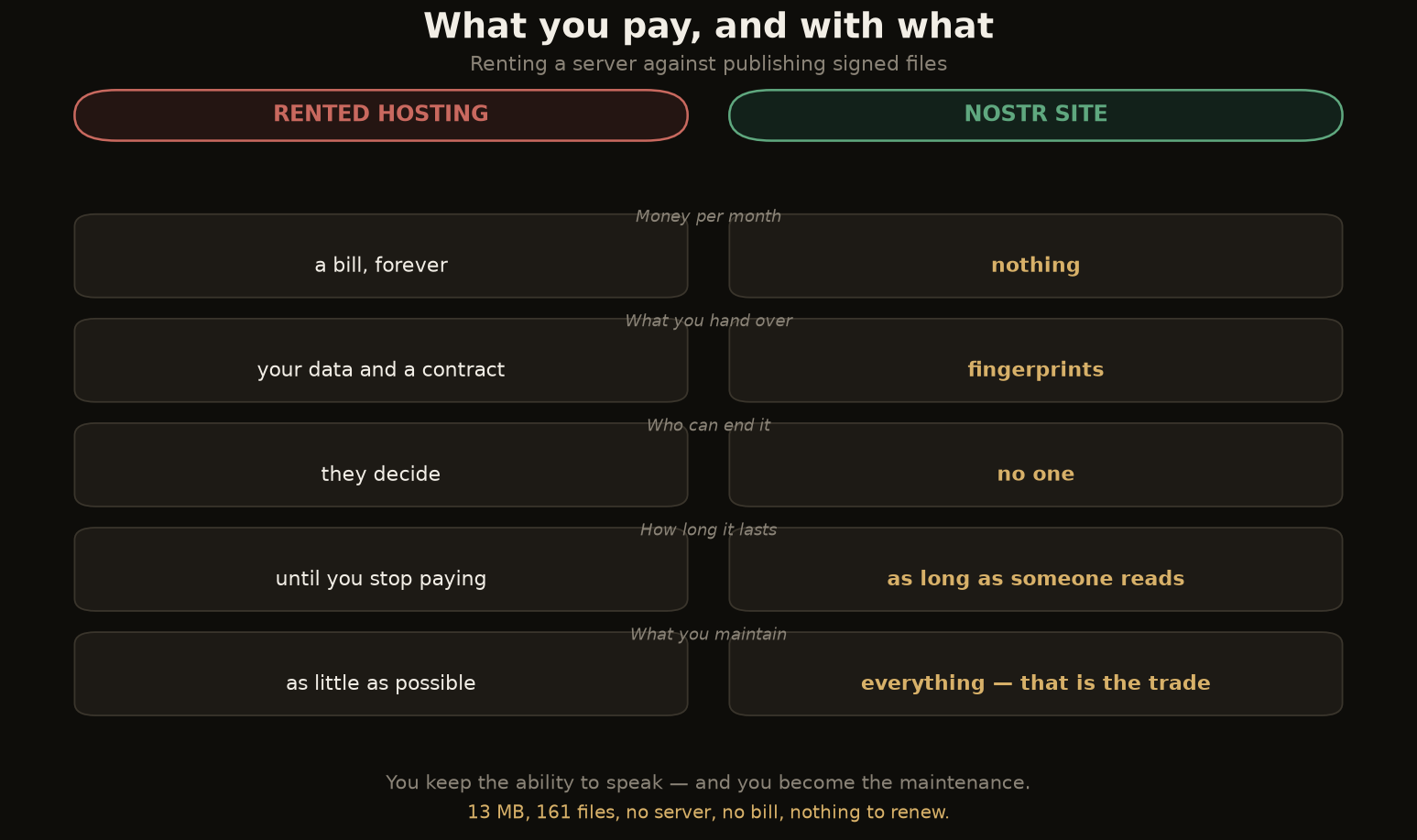
Money: nothing. Storage on the servers I listed is free, the relays are free, the gateways are free. My site is 13 MB across 161 files.
What you are paying instead is attention. There is no support line. If a gateway goes down, you wait or use another. If a file is missing, nothing tells you; you find out by asking.
And the honest limits:
You do not get a nice domain. Your address is built from your public key. You can shorten it by naming your site: a named site uses kind 35128 with a d tag. The saving is smaller than it sounds. About eight characters, because the public key in its compressed form has to be there regardless. A real domain of your own requires running your own gateway, which is a different project with different problems.
You cannot run code. No logins, no comments, no database, no forms that store anything. These sites are static files and nothing else. That is the trade for having no server and no expiry date.
And you are the maintenance. Nothing updates itself. There is no build pipeline watching your repository. When you want to change the site, you change the files and publish a new manifest — which takes seconds once the machinery exists, but it is you who does it.
I want to end on the thing that actually matters, because it is not the hashes.
When you publish this way, the site stops being a favour that someone does for you. Nobody can close an account, change terms, send a renewal email, or force a migration because the platform pivoted. The pages stay reachable as long as anyone runs a machine that reads the format, and the format is a signed public note, so anyone can implement a reader without asking permission.
That is a genuinely different position from hosting. Not cheaper and not easier. Different in kind: you are not renting the ability to speak, you are holding it.
The reason I wrote this at all is that the barriers turn out to be small and unglamorous. A relay list you did not know you needed. A ../ in front of an image path. A font that silently was not itself. These are not hard problems. They are just invisible ones, and invisible problems are what make people give up and go rent something.
None of them need to be invisible. That is what this guide is for.
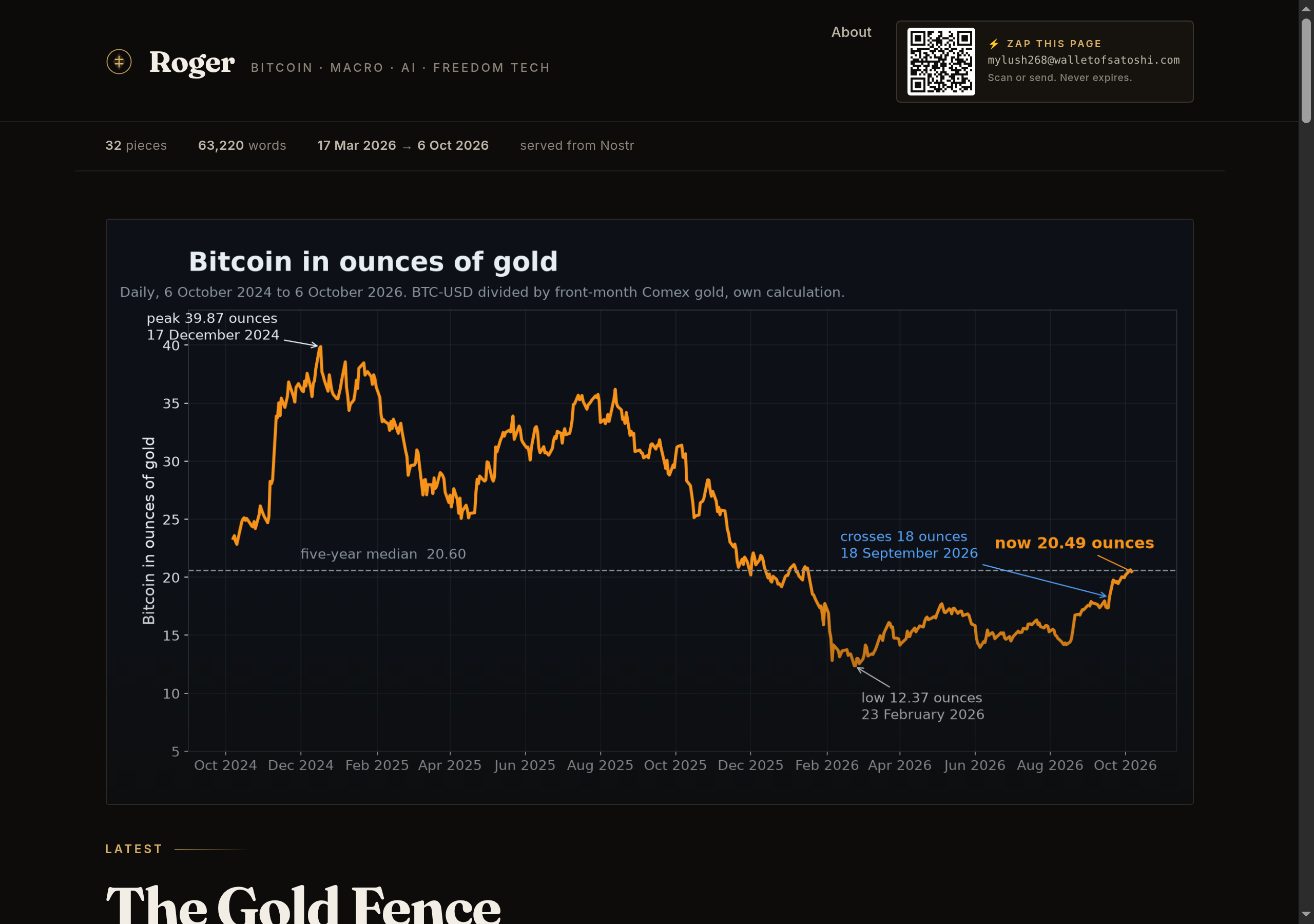
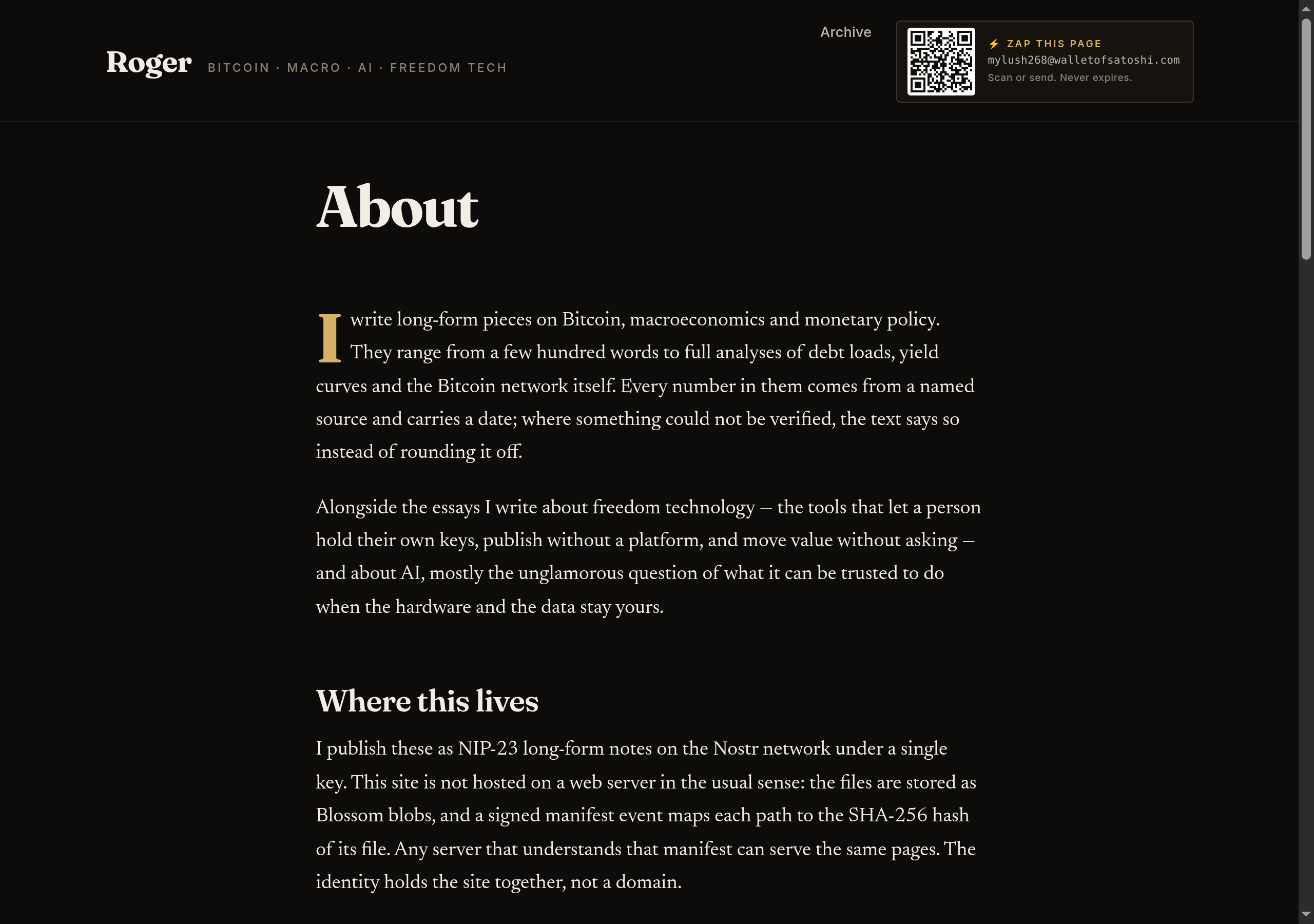
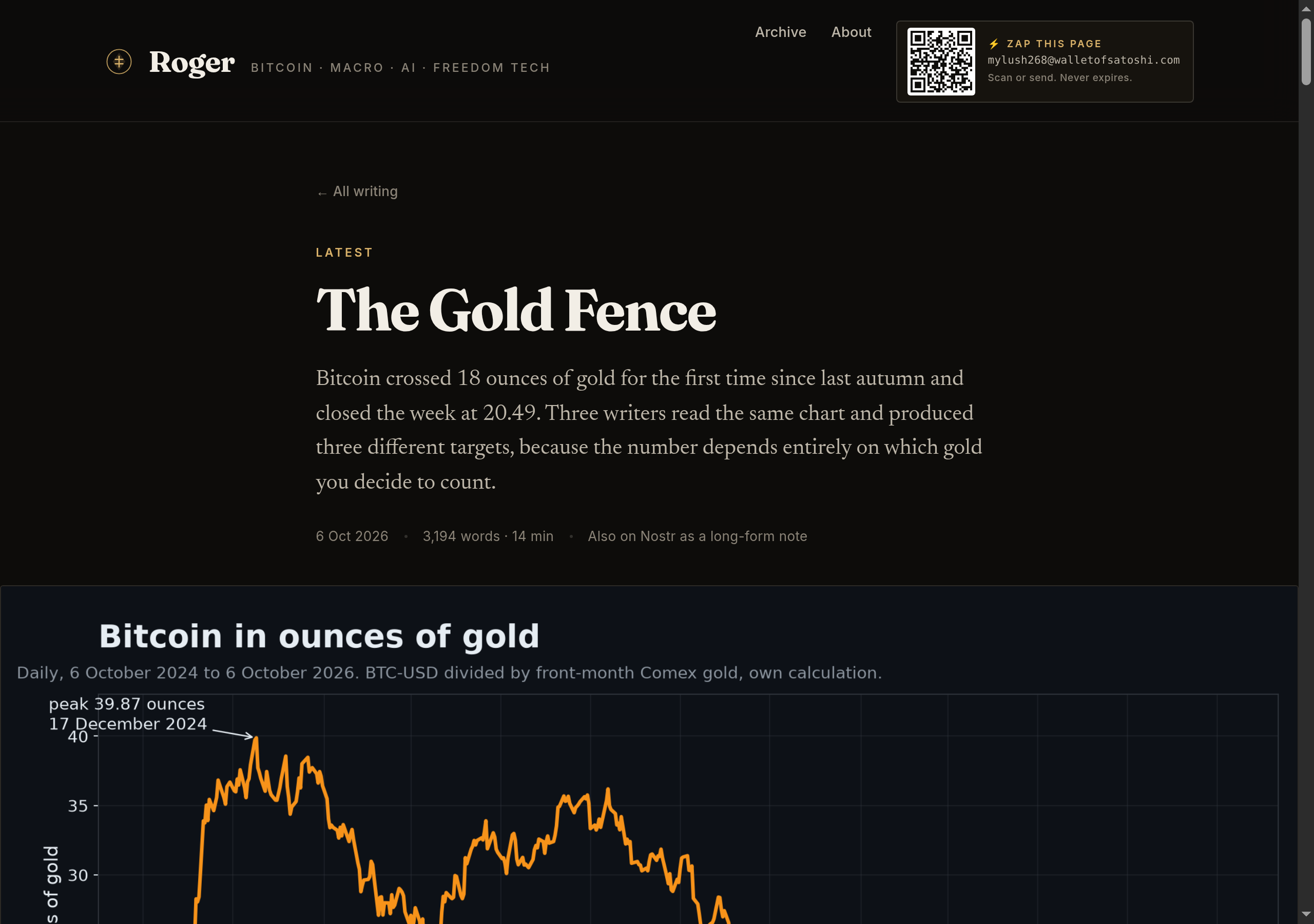
The site this describes — the one with the QR code in the header , was built with these steps and carries 32 long-form articles, 161 files, and no server. If you build one, decode your own QR code before you trust it.